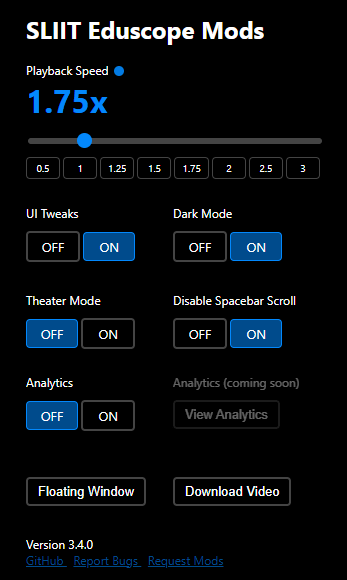
Eduscope Mods is a Chrome extension I built to make SLIIT University’s online lecture platform more usable. The university’s Eduscope platform had a perfectly functional video player — but it was missing quality-of-life features that students expected from modern video tools.
The problem
Watching recorded lectures at 1× speed when you’re trying to catch up before an exam is painful. The default Eduscope player had no playback speed controls, no keyboard shortcuts, and a clunky UI that wasted screen real estate. Students were working around it by downloading lectures and playing them in VLC.
What the extension adds
- Playback speed control — Watch at 1.25×, 1.5×, or 2× directly in the browser
- Keyboard shortcuts — Space to pause, arrow keys to skip, number keys for speed
- UI improvements — Cleaner controls and better use of the player’s available space
- Progress persistence — Resume from where you left off, even after closing the tab
Reception
The extension crossed 1600 active users on the Chrome Web Store — an audience I didn’t expect when I built it as a personal convenience tool. It spread entirely through word-of-mouth among SLIIT students.
How it works technically
The extension injects a content script into Eduscope pages that patches the video element and player controls. Firebase is used for a lightweight feature flag system, letting me toggle features remotely without pushing a new extension update through the Chrome Web Store review process.
Building for the Chrome Extension APIs was a different mental model than web development — the content script, background service worker, and popup each have different permissions and lifetimes, and communicating between them requires explicit message passing.